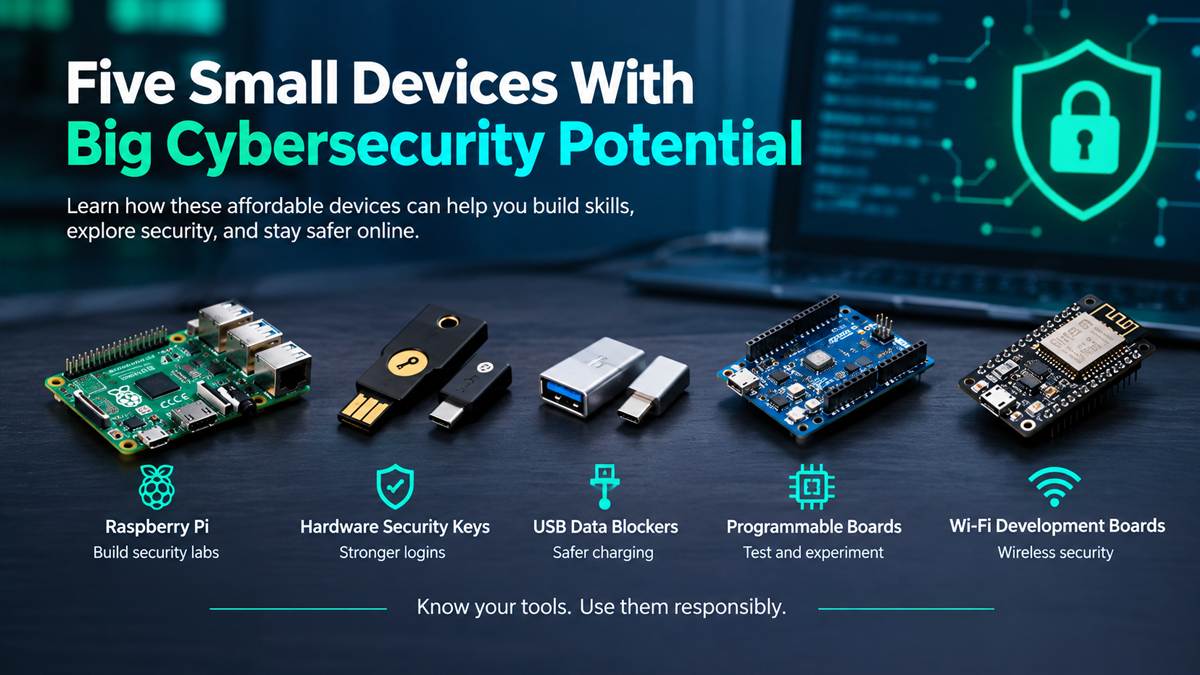




The ESP32 is a family of low-cost microcontrollers from Espressif Systems with built-in Wi-Fi and Bluetooth, and that combination is exactly why ESP32 cybersecurity has become such a popular topic. For a few dollars you get a programmable wireless device that behaves like a tiny smart-home gadget. That makes it a practical way to learn how connected devices communicate, where they can fail, and how to secure them.
This article goes further than the short video. It explains what the chip is, what its wireless features really do, which security projects make sense in a lab, and where the legal and ethical lines sit.
Watch the Video
The video gives a quick visual overview of why the ESP32 matters in security: a wireless chip at the heart of countless IoT devices, and a workflow of building, testing, finding weaknesses and securing. Watch it first, then use this article for the detail.
What Is ESP32?
ESP32 is a series of system-on-a-chip (SoC) microcontrollers designed by Espressif Systems. Unlike a basic microcontroller, it ships with wireless radios on the same chip, so it can join a Wi-Fi network, talk to phones over Bluetooth, and run your own firmware at the same time.
You will usually meet it in one of three forms:
- The chip itself, used by manufacturers inside commercial products.
- A module (for example, an ESP32-WROOM module), which packages the chip with flash memory, an antenna and certified RF hardware.
- A development board, which puts a module on a PCB with a USB connector, buttons and pin headers. This is the board most beginners buy, and it’s the kind shown in the video.
“ESP32” is also a family name. The original ESP32 and newer chips such as the ESP32-S3, ESP32-C3 and ESP32-C6 differ in important ways, covered in the table below.
Key Features of ESP32
Exact specifications depend on the variant, so treat these as the original ESP32’s profile and check the datasheet for the chip you buy:
- Processor: the original ESP32 uses a dual-core Xtensa 32-bit CPU running at up to 240 MHz. Some newer variants use a single core or the RISC-V architecture.
- Memory: hundreds of kilobytes of on-chip SRAM, with external flash on the module. Some boards add PSRAM.
- Peripherals: GPIO pins, ADC, SPI, I2C, UART, PWM and more, which let it read sensors and control hardware.
- Hardware crypto support: accelerators for AES, SHA and RSA-type operations, plus a hardware random number generator.
- Security features: secure boot and flash encryption, which are covered later. Support differs between chips.
- Programming options: Espressif’s ESP-IDF framework, the Arduino IDE, MicroPython and others.
ESP32 Variants at a Glance
| Variant | CPU core | Wi-Fi | Bluetooth | Notes |
|---|---|---|---|---|
| ESP32-WROOM-32U | Dual-core Xtensa LX6 | 2.4 GHz, Wi-Fi 4 (802.11 b/g/n) | Bluetooth Classic + BLE | Original ESP32 module with external antenna connector; widely used in hardware/security projects |
| ESP32-S2 | Single-core Xtensa LX7 | 2.4 GHz, Wi-Fi 4 | None | Native USB; no Bluetooth |
| ESP32-S3 | Dual-core Xtensa LX7 | 2.4 GHz, Wi-Fi 4 | BLE only | Native USB; extra instructions for AI-style workloads |
| ESP32-C3 | Single-core RISC-V | 2.4 GHz, Wi-Fi 4 | BLE only | Low cost, newer security peripherals |
| ESP32-C6 | Single-core RISC-V | 2.4 GHz, Wi-Fi 6 (802.11ax) | BLE only | Adds 802.15.4 (Thread/Zigbee) |
| ESP32-H2 | Single-core RISC-V | None | BLE only | Adds 802.15.4; no Wi-Fi |
Always verify against Espressif’s current datasheet before buying, because the lineup keeps growing (newer chips such as the C5 add 5 GHz Wi-Fi). The key point: not every ESP32 does everything. An ESP32-S2 has no Bluetooth, an ESP32-H2 has no Wi-Fi, and only the original ESP32 supports Bluetooth Classic.
ESP32 Wi-Fi and Bluetooth Capabilities
The video highlights “Wi-Fi + Bluetooth” and “IoT development” as the core of the story. Here is what that means in practice.
Wi-Fi
Most ESP32 chips can run as a station (joining a router), as a soft access point (creating their own network), or both. Developers using ESP-IDF can also enable promiscuous mode, which lets the radio hand received 802.11 frames to your code. In a lab, that supports tasks such as channel surveys, signal-strength logging and observing your own test traffic.
Limits matter here. The ESP32 radio is not a general-purpose, software-defined or monitor-mode adapter. It is generally 2.4 GHz only, and what you can transmit is restricted by Espressif’s firmware. Dedicated Wi-Fi adapters and proper SDR tools remain better for serious wireless analysis.
Bluetooth and BLE
Bluetooth Low Energy (BLE) is how fitness trackers, smart locks, beacons and many sensors talk to phones. An ESP32 can act as a BLE central (scanner), a BLE peripheral (advertiser with services and characteristics), or both, depending on the variant and firmware. That makes it a convenient platform for building your own test peripherals and learning how GATT services and characteristics are exposed.
Practical Uses of ESP32
Before we get to security, it helps to see why the chip is everywhere. Common uses include:
- Smart-home sensors, relays and light controllers
- Environmental monitors (temperature, humidity, air quality)
- Wi-Fi-enabled displays and dashboards
- BLE beacons and trackers
- Small web servers and data loggers
- Wearable and battery-powered gadgets
- Prototypes for commercial IoT products
This is the first half of the security story. Wherever a low-cost wireless chip is used, the same question follows: who tests it, and how well is it protected?
ESP32 Cybersecurity: How the Chip Is Used in Security Work
The video’s flow, ESP32 to wireless to IoT device, shows the main reason this chip matters: it is a model of the devices that security professionals actually have to assess. Smart plugs, cameras, sensors and medical gadgets often rely on similar microcontrollers, Wi-Fi stacks and BLE services.
Responsible ESP32 cybersecurity work generally falls into four areas:
- Learning wireless fundamentals. Seeing real beacon frames, probe requests and BLE advertisements in your own lab makes protocol theory concrete.
- Building test targets. You can create deliberately weak firmware, such as a device with a default password or an unauthenticated BLE characteristic, then practice finding and fixing the problem.
- Building defensive tools. Small sensors that watch for unexpected access points, unusual BLE devices or suspicious management-frame activity on a network you own.
- Studying embedded security. Understanding firmware storage, boot chains, debug interfaces and what hardware protections actually do.
The workflow the video shows, Prototype → Test → Find Weaknesses → Secure, is the right mental model. The goal is never the “find weaknesses” step alone. It is the “secure” step that follows.
ESP32 for Ethical Hacking and Security Research
You will see the ESP32 mentioned in hacking communities, and it helps to be clear about what is realistic.
What it is good for:
- Cheap, disposable lab hardware you can modify and reflash freely
- Passive observation of Wi-Fi and BLE environments you control
- Building proof-of-concept IoT devices to test
- Learning embedded firmware and wireless protocol behavior
- CTF-style hardware and wireless challenges
What it is not:
- A replacement for professional wireless testing tools
- A “hack any network” gadget. Despite how it’s sometimes presented online, it has hardware and firmware limits, and most real-world security depends on weaknesses in configuration, not on a magic chip
- A tool that makes unauthorized activity legal or safe
Legitimate Research vs. Unauthorized Activity
| Legitimate | Not legitimate |
|---|---|
| Testing your own devices and home lab network | Testing neighbors’, employers’ or public networks without written permission |
| Scanning for Wi-Fi networks and BLE devices to understand your environment | Collecting data or identifying people through their devices |
| Authorized penetration tests with a written scope | Interfering with, disrupting or jamming wireless service |
| Isolated test networks and CTF events | Attempting to bypass authentication on systems you don’t own |
| Disclosing found vulnerabilities responsibly | Selling or abusing vulnerabilities |
Laws differ by country, but unauthorized access and interference with communications are widely illegal, and radio rules apply too. If you’re unsure whether something is allowed, don’t do it. Get written permission or keep it in your lab.
Example ESP32 Security Lab Projects
Each project below stays on equipment you own or a lab you control.
1. Wi-Fi Environment Scanner
Write firmware that lists nearby networks with channel, signal strength (RSSI) and encryption type, and display it on a small screen or serial monitor. You’ll learn how the 2.4 GHz band gets crowded and how to spot networks still using outdated encryption. Run it on your own premises, and treat the results as information about your environment, not a target list.
2. BLE Advertisement Monitor
Use a BLE scan to log advertisements from your own devices (earbuds, a fitness band, a sensor) and see what they broadcast. Notice what a device reveals without any pairing, such as its name, services or manufacturer data. This shows why privacy-conscious BLE design matters.
3. A Deliberately Weak IoT Device
Create a simple ESP32 gadget, for example a “smart light” with a web page, and give it common mistakes: a default admin password, no encryption, or an unauthenticated BLE control. Then audit it from another device on your isolated lab network and fix every issue you find. Building the flawed version is the fastest way to understand why the flaw matters.
4. Rogue Access Point Watcher (Defensive)
Program a board to keep a list of access points that belong on your network and flag a new one that uses a familiar SSID. It’s a small taste of wireless intrusion detection.
5. Firmware and Flash Protection Experiment
Take an ESP32 that holds only test firmware you wrote, and compare how its flash contents behave with and without flash encryption and secure boot enabled. This is one of the most educational embedded-security exercises available, but read the warning in the next section first.
6. Local Wireless CTF Practice
Build a small capture-the-flag with ESP32 boards, such as a BLE characteristic that reveals a flag only after a correct sequence, or a Wi-Fi challenge on a closed network. It’s a great project for study groups and clubs.
ESP32 Limitations and Security Considerations
The same chip that teaches security also needs to be secured. Keep these points in mind:
- Variant differences are real. Security features, including secure boot versions and peripherals such as the digital signature module, vary between chips and even between silicon revisions. Check Espressif’s documentation for your exact part.
- Security features are off by default on a dev board. Shipping a product on default settings with open debug interfaces and unencrypted flash is a classic IoT mistake.
- eFuse changes are permanent. Enabling secure boot or flash encryption burns one-time-programmable fuses. A configuration error can leave a board unusable. Practice on cheap spare boards, never your only one.
- Physical access is a big deal. Researchers have published hardware-level attacks against various microcontrollers, ESP32 included. That is a reason to treat physical protections as part of the design, not a reason to avoid the chip.
- Bluetooth stack scrutiny. In 2025, researchers drew attention to undocumented vendor-specific commands in the ESP32 Bluetooth controller. Espressif described these as internal debug functionality rather than a remotely exploitable backdoor. It’s a good illustration of why reading primary sources before repeating a headline is valuable.
- Radio limits. 2.4 GHz only on most models, and constrained packet handling compared with dedicated wireless adapters.
- Keep it updated. Use current ESP-IDF releases and apply security patches to anything you deploy.
If you build an ESP32 device for real use, start with the basics: unique credentials per device, encrypted communications (TLS), authenticated BLE pairing, signed and verified firmware, and no leftover debug access.
Is ESP32 Worth Learning?
Yes, if you want a hands-on route into IoT and embedded security. It’s inexpensive, well documented and supported by a huge community, and it works with languages and tools beginners already know. It is also a realistic stand-in for the connected devices you’ll be asked to assess in a security career.
A sensible path:
- Learn basic ESP32 programming with the Arduino IDE or MicroPython.
- Get comfortable with Wi-Fi and BLE basics.
- Build a simple connected device.
- Test and harden that device.
- Move on to ESP-IDF and the security features once the basics feel natural.
Also, learn – Raspberry Pi for Cybersecurity: How Security Researchers Use It and if you are interested on Networking skill learn Complete Nmap Guide: Network Scanning, Service Enumeration, NSE, Output Analysis, and Security Auditing.
Recommended ESP32 Board
If you want to follow along with the projects above, start with a general-purpose ESP32 development board with a USB connector, exposed pins and a built-in antenna. For learning, a board based on the original ESP32 offers both Wi-Fi and Bluetooth (Classic and BLE), and the majority of tutorials use it. An ESP32-S3 or ESP32-C3 board is also a fine choice if you mainly want BLE and newer features. Check the listing to confirm exactly which chip variant you’re getting.
Buying two boards is worthwhile: one can act as a test target and the other as your testing device. It’s also useful to have a spare for practicing the permanent eFuse steps.
AMAZON AFFILIATE LINK – ESP32 BOARD
Affiliate Disclosure: This article contains an affiliate link. If you buy through it, I may earn a small commission at no extra cost to you. I only recommend products I consider useful for learning, and this doesn’t influence the technical content above.
Frequently Asked Questions
What is ESP32 used for?
ESP32 is used to build connected devices: smart-home gear, sensors, data loggers, wearables, BLE beacons, small web servers, Wi-Fi deauthentication and prototypes of commercial IoT products. Its built-in Wi-Fi and Bluetooth, along with its low price, make it popular with hobbyists and manufacturers.
Can ESP32 be used for cybersecurity?
Yes. It’s a useful learning and lab device for wireless protocols, IoT device testing, defensive monitoring tools and embedded security. It supports security work, but it doesn’t replace professional testing equipment.
Can ESP32 be used for Wi-Fi security testing?
In a limited way. With the right firmware, it can scan networks and observe frames in promiscuous mode, which is useful for learning and for checking your own network. It’s not a full-featured wireless auditing adapter, and any testing must be limited to networks you own or have written permission to test.
Does ESP32 support Bluetooth?
It depends on the variant. The original ESP32 supports both Bluetooth Classic and BLE. The ESP32-S3, C3, C6 and H2 support BLE only. The ESP32-S2 has no Bluetooth at all.
Is ESP32 good for beginners?
Yes. It works with the Arduino IDE and MicroPython, boards are cheap and the community is large. Start with simple projects such as blinking an LED or reading a sensor before moving to wireless or security work.
What is the difference between ESP32 and Arduino?
“Arduino” refers to a platform and a family of boards. Classic boards such as the Uno use an 8-bit microcontroller with no built-in wireless. The ESP32 is a much more powerful 32-bit chip with Wi-Fi and Bluetooth built in. You can also program an ESP32 using the Arduino IDE, so the two overlap in tooling.
Is using ESP32 for hacking legal?
The chip is legal. What matters is how you use it. Testing your own devices and an isolated lab is generally fine. Accessing, disrupting or monitoring systems or networks without authorization is illegal in many countries, and radio regulations apply too. Always work within a written scope or on equipment you own, and check your local laws.
Final Thoughts
The ESP32 matters for security because it sits at the center of how modern connected devices are built: small, cheap, wireless and everywhere. That makes it a good teacher. Build something with it, test it as an attacker would in a controlled lab, then fix what you find. That cycle is what IoT security is about.
If you prefer a visual walk-through of the idea, watch the video above, then come back here for the lab ideas and the technical details.
Discover more from Jahid Shah
Subscribe to get the latest posts sent to your email.