



You may have just watched our short video ranking five “hacking operating systems”: Parrot Security OS, BlackArch Linux, Tails, CAINE and Kali Linux. Ten seconds is enough for a list. It is not enough to tell you what any of them actually does, which one suits you, or where to download it safely. This guide fills that gap.
First, a small correction to the popular phrase. “Hacking OS” is catchy, but none of these systems hacks anything on its own. They are cybersecurity-focused operating systems: Linux distributions that come with specialized software already selected, configured and packaged. Some are built for penetration testing. One is built for digital forensics. One is built for privacy and anonymity. Treating them as interchangeable is the most common beginner mistake.
The five OS covered here:
- Parrot Security OS: a Debian-based security and privacy distribution that can also serve as a daily system
- BlackArch Linux: an Arch-based penetration testing distribution with a very large tool repository
- Tails: a live system built for privacy and anonymity, not for testing other systems
- CAINE: a live environment for digital forensics and investigation
- Kali Linux: the best-known penetration testing distribution, maintained by OffSec
The right choice depends on what you want to do, not on which name is most famous. Everything below assumes legitimate use: learning, home labs, authorized assessments and research.
At a Glance
- Best for most beginners learning security: Kali Linux or Parrot Security OS
- Best for penetration testing work: Kali Linux, Parrot Security OS or BlackArch Linux
- Best for privacy and anonymity: Tails (it is not a penetration testing system)
- Best for digital forensics and incident response: CAINE
- Best for experienced Linux users who want maximum choice: BlackArch Linux
- Rule that applies to all of them: only test systems you own or have written permission to test
What Is a Hacking or Cybersecurity Operating System?
A security-focused Linux distribution is a normal operating system with a specific job in mind. Instead of starting with a blank desktop and installing tools one by one, you start with a curated collection already organized and, ideally, already working together.
What typically sets these systems apart:
- Preinstalled tools. Network scanners, packet analyzers, web application testing suites, password auditing utilities, reverse-engineering tools and forensic software arrive ready to use.
- Security-oriented configuration. Some are tuned so tools have the access they need (common in penetration testing distributions). Others lock things down or force traffic through an anonymity network (Tails).
- A maintained repository. Security tools update quickly. A good distribution tracks those updates for you.
The main disciplines
These terms are often mixed together, and they describe different work:
- Penetration testing: a controlled, authorized attempt to find weaknesses in a system, network or application, followed by a report so they can be fixed.
- Vulnerability assessment: identifying and ranking known weaknesses, usually with less hands-on exploitation than a full penetration test.
- Network analysis: capturing and inspecting traffic to understand how systems communicate and to spot problems.
- Digital forensics: preserving and examining digital evidence in a way that does not alter it, often after an incident.
- Security research: studying software, protocols and hardware to understand how they fail.
- Privacy and anonymity: reducing what can be learned about you and your activity online. This is a defensive goal and a separate one from testing.
Why beginners should stay inside authorized limits
These tools are dual-use: the same scanner that helps an administrator audit a network can be misused against someone else’s. Use them only on equipment you own, in a lab you built, or on systems where you hold explicit written authorization. Intentionally vulnerable practice machines and capture-the-flag (CTF) environments exist precisely so you can learn without harming anyone.
Quick Comparison Table
| Operating system | Primary focus | Best for | Base | Security / privacy focus | Beginner friendliness | Official website |
|---|---|---|---|---|---|---|
| Kali Linux | Penetration testing and security assessment | Learners and professionals who want a standard toolkit | Debian-based | Offensive-security tooling; not a privacy system | Moderate; plenty of documentation, but needs Linux basics | kali.org |
| Parrot Security OS | Security testing, forensics and privacy, with a daily-use option | Users who want a security toolkit plus a general-purpose system | Debian Stable | Hardening profiles (AppArmor), network services off by default | Moderate; a Home edition exists for everyday use | parrotsec.org |
| BlackArch Linux | Penetration testing and security research | Experienced Linux users | Arch Linux | Very large tool repository; no beginner guardrails | Low; best with prior Arch or Linux experience | blackarch.org |
| Tails | Privacy, anonymity and censorship circumvention | Journalists, activists and privacy-conscious users | Debian | Routes traffic through Tor; leaves no trace by design | High for basic use; not meant for testing | tails.net |
| CAINE | Digital forensics and incident response | Forensic examiners and students | Ubuntu (14.0 uses Ubuntu 24.04) | Read-only handling of storage devices by default | Moderate; requires forensic knowledge | caine-live.net |
#5: Parrot Security OS
What it is
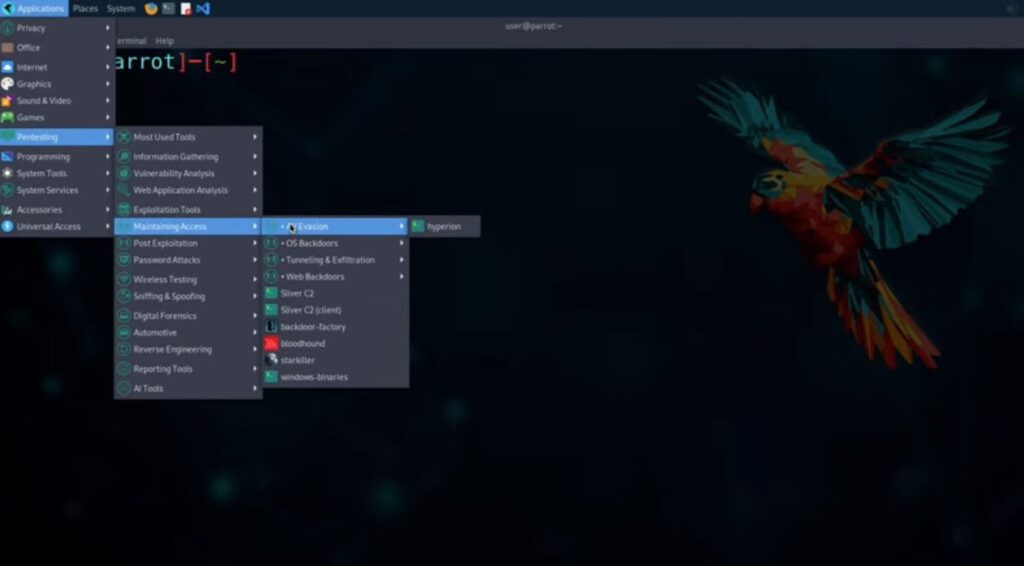
Parrot Security (often called ParrotOS or just Parrot) is a free, open source GNU/Linux distribution based on Debian Stable. According to the project’s own documentation, it is designed for security experts, developers and privacy-aware people. The first public release arrived in April 2013, and the project is governed by Parrot Security CIC, a UK community interest company.
Main purpose
Parrot aims to be both a security toolbox and a system you could live in. Many penetration testing distributions leave out everyday software such as office tools, because the assumption is that you will use another machine for reports. Parrot deliberately includes those basics so a tester can work from start to finished report on a single laptop.
Editions
Parrot ships in several forms, and choosing the right one matters:
- Security Edition: the full toolkit, aimed at penetration testing, forensics, reverse engineering and security research.
- Home Edition: a daily-use system without the security tool collection.
- HTB Edition: a curated set for Hack The Box style challenges.
- Raspberry Pi, cloud and container options: for ARM boards and lightweight deployments.
As of this review, the official download page lists version 7.2 (released May 2026) for 64-bit x86 systems. Installable and virtual machine formats include ISO, OVA, UTM (for Apple Silicon), VMDK and QCOW2. There is also a Windows Subsystem for Linux edition and Docker images.
Security and penetration testing capabilities
The Security Edition includes the parrot-tools-full metapackage, which bundles its security tools. The categories covered include network scanning and analysis, web application testing, wireless assessment, password auditing, reverse engineering and exploit research. Specific well-known tools you will find include Nmap, Wireshark, Burp Suite Community, Metasploit Framework, Ghidra and Aircrack-ng.
Privacy and hardening features
This is where Parrot differs from many testing distributions. Based on the official documentation:
- Custom hardening profiles for AppArmor and other Linux hardening technologies, inspired by projects such as Tails and Whonix.
- Network services are disabled by default and must be started manually, which reduces both resource use and exposure.
- You cannot log in to the full desktop as root, and critical applications like browsers are prevented from running with unnecessary privileges. Root consoles and privileged security tools remain available when you need them.
Digital forensics
Parrot disables automatic mounting of storage devices by default, both at the kernel level and in the file manager, to support safer forensic acquisition. The project is careful to note that this does not protect against an accidental manual mount, and that a hardware write blocker is always recommended for real forensic work. Forensic tools such as Autopsy and the Sleuth Kit are listed among its included software.
Desktop environment
Parrot’s documentation shows a KDE Plasma desktop on its 7.0 release. Desktop choices can differ between editions and releases, so check the edition you download.
System requirements
For the Security Edition, the official download page lists:
- Quad-core processor
- 4 GB RAM minimum (8 GB recommended)
- 40 GB of storage
- 1024×768 minimum display resolution
The Home Edition is lighter, with 2 GB minimum (4 GB recommended).
Who should use it
Students, developers and professionals who want a security toolkit and an everyday environment in one place. It is also a good fit if you like the idea of a hardened default configuration.
Advantages
- Includes both security tools and everyday software
- Hardening and low-exposure defaults
- Multiple editions, including a security-free Home Edition
- Debian Stable foundation with its own repositories for newer tools
Limitations
- The full Security Edition is heavy compared with minimal installs
- Hardening defaults can occasionally get in the way of tools that expect full privileges
- A smaller community and body of tutorials than Kali
Parrot vs Kali
Both are Debian-based and cover a similar range of tools. Kali is the more widely documented standard, and many courses and write-ups assume it. Parrot leans toward a general-purpose, hardened desktop and includes more day-to-day software. Neither is categorically better.
Is it suitable for beginners?
Reasonably, yes, but “beginner” still means someone willing to learn Linux. The project describes the system as recognizable to seasoned professionals and friendly to novice students, and it does not hide its internals. The Home Edition is a gentle way to get used to the environment first.
Official Download: https://parrotsec.org/download/
#4: BlackArch Linux
What it is
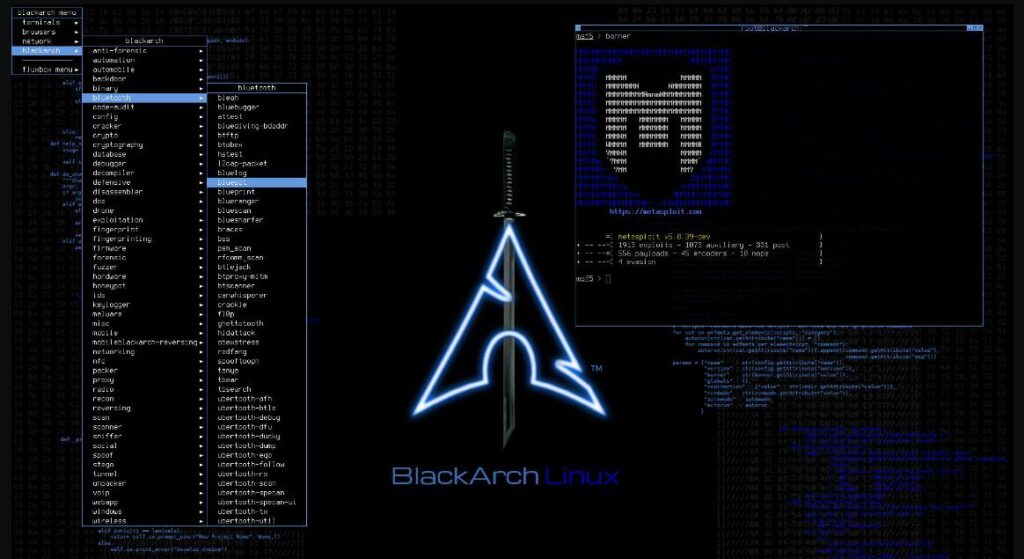
BlackArch Linux is a penetration testing distribution for penetration testers and security researchers, built on Arch Linux. Its repository currently lists 2,862 tools, which you can install individually or in groups.
Relationship with Arch Linux
BlackArch is an expansion of Arch rather than a separate lineage. It is compatible with existing Arch installations and works as an additional, unofficial repository. That means you have two routes: install the BlackArch ISO, or add the BlackArch repository to an Arch system you already run and pick only the tools you want.
How its approach differs from Kali and Parrot
Kali and Parrot arrive as curated, polished systems with a default tool selection. BlackArch is closer to a very large catalogue sitting on top of a minimalist, do-it-yourself base. You get far more choice and far less hand-holding. Arch’s rolling model and manual setup philosophy carry through.
Images and installation considerations
The official download page describes three ISO types:
- Full ISO: contains all tools available at build time. The project itself warns that installing the full ISO is highly discouraged for most people, because of likely errors and conflicts when updating, and says it mainly targets offline installation.
- Slim ISO: a smaller system with a selected set of common tools and an Xfce desktop with a graphical installer. The project recommends this for most people.
- Netinstall ISO: a lightweight image that bootstraps a machine with a minimal package set so you add only what you need. Also recommended.
OVA images for VirtualBox, VMware and QEMU are offered too. BlackArch also supports Arch Linux ARM platforms by adding the repository on top of an Arch ARM install.
One practical note: when this guide was checked, the ISO and OVA table on the downloads page listed images dated 2023. Look at the version and date shown on the page when you visit, and read the project’s news page for the latest status before choosing an image.
Skill level required
BlackArch assumes you are comfortable with the Linux command line, package management and troubleshooting. If you have never installed Arch Linux, expect a learning curve before you reach the security part.
Advantages
- Very large selection of security tools
- Flexible: ISO install or repository on top of existing Arch
- Rolling updates through Arch’s package ecosystem
- Install only what you need
Limitations
- Steep learning curve for newcomers
- Large tool count does not equal better results; many tools are niche or overlap
- Full ISO has known pitfalls, per the project
- Fewer beginner tutorials than Kali
Who should choose it
Intermediate to advanced Linux users and security researchers who want to build their own environment and value tool breadth over convenience.
Official Download: https://blackarch.org/downloads.html
#3: Tails
What it is
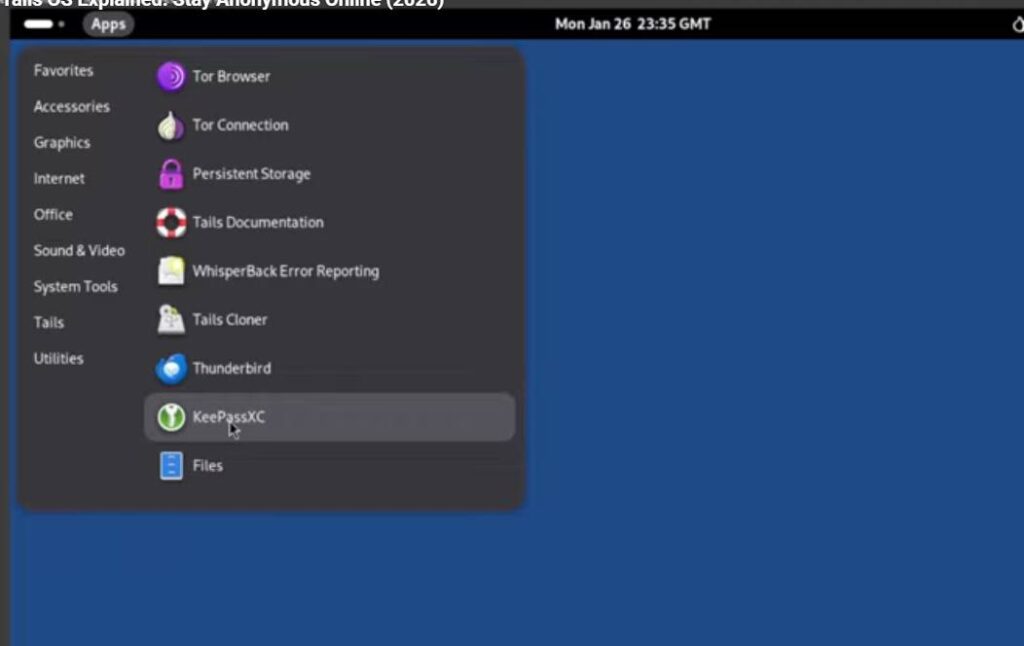
Tails (“The Amnesic Incognito Live System”) is a portable operating system that, in the project’s words, protects against surveillance and censorship. It is based on Debian GNU/Linux. Since 2024, Tails has been part of the Tor Project.
Unlike the other four systems, Tails is not a penetration testing distribution. Including it in a list of “hacking operating systems” is common, but it solves a different problem: protecting the person using it.
The amnesic, live system idea
Tails is designed to run from a USB stick. You shut down your computer, start from the Tails stick instead of Windows, macOS or Linux, and when you shut down again the system leaves no trace on the host computer. “Amnesic” means it forgets by default. An optional encrypted Persistent Storage lets you keep selected files and settings between sessions if you choose.
Tor integration
Tails sends its internet connections through the Tor network, which is designed to help protect your privacy online and avoid censorship. It also includes a set of ready-to-use applications for working with sensitive documents and communicating securely, with privacy-protective defaults.
Who uses it and why
The project names activists, journalists and their sources, and survivors of domestic violence among the people it is built for, along with anyone who wants extra privacy. These are defensive, protective use cases.
Why it is not a conventional penetration testing OS
Tails does not ship with the offensive toolkit the other four distributions are known for. Its design goal is to restrict and anonymize, which is the opposite of the open access penetration testers often need. Treat it as a privacy tool and pair it, if needed, with a separate testing system.
Important limitations
- Tor and Tails reduce certain risks; they do not make you invisible. How you behave still matters.
- It cannot protect against compromised hardware or a compromised computer you start it on.
- Running it inside a virtual machine is generally discouraged because the host can observe the guest.
- Tor is slower than a normal connection.
- It will not work on every computer.
The Tails project maintains a detailed warnings page on its site; read it before relying on Tails for anything sensitive.
Requirements
From the official requirements page:
- A 64-bit x86-64 compatible processor (it does not work on ARM or Apple Silicon Macs)
- About 3 GB of RAM to work smoothly (it may run with less but can be unstable)
- A USB stick of at least 8 GB, or a DVD reader
- A computer that can start from USB
The project also advises installing Tails from a trusted operating system.
Beginner considerations
Tails is among the friendlier systems here for basic use, because it is designed to work with minimal setup. The harder part is understanding its threat model, meaning what it does and does not protect against.
Official Download: https://tails.net/install/
#2: CAINE
What it is
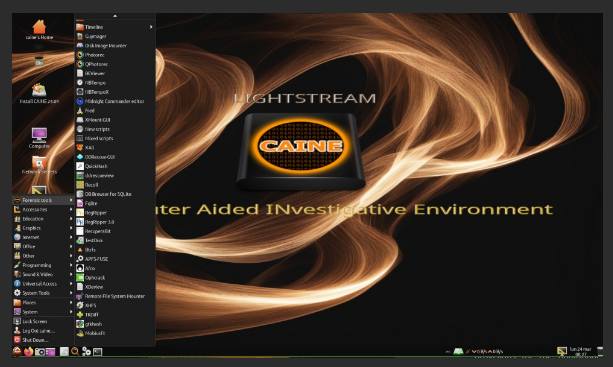
CAINE stands for Computer Aided INvestigative Environment. It is an Italian GNU/Linux live distribution created as a digital forensics project, and its project manager is Nanni Bassetti. The current official release is CAINE 14.0 “Lightstream” (24 March 2025), based on Ubuntu 24.04 with kernel 6.8. It supports UEFI and legacy BIOS boot.
Forensics and incident response focus
CAINE’s stated goals are an interoperable environment that supports an investigator through the phases of a digital investigation, with a friendly graphical interface and user-friendly tools. It brings existing forensic software together as modules inside one environment.
Evidence handling
The feature that defines CAINE is how it treats storage. In version 14.0, all block devices are locked in read-only mode by default, which helps protect evidence from accidental writes. A tool called Unblock lets you deliberately switch a disk to writable when you need to. The project also provides a tray-based mounting tool and file-manager scripts that make quick examination of files, histories, registries and metadata easier.
Even so, professional practice generally calls for hardware write blockers in serious cases. Software settings are a safeguard, not a replacement.
How it differs from Kali, Parrot and BlackArch
Those three are built to probe systems for weaknesses. CAINE is built to examine systems and preserve what is found. Its defaults protect data from change rather than giving you free rein over it. The project notes that some tools, such as Autopsy and GIMP, were removed from the 14.0 image due to size, so check the current tool list.
Strengths
- Purpose-built for forensic workflows
- Read-only defaults help protect evidence
- Runs live without altering the host system
- Can boot to RAM
- Can be installed if you want a persistent investigation workstation
Limitations
- Narrow focus; it is not a general penetration testing platform
- Release pace is slower than rolling distributions
- Needs forensic knowledge to use well; the tools do not replace procedure
- Secure Boot may need to be disabled on some machines, and the project warns to keep your BitLocker recovery key handy if you do
Who should use it
Forensic examiners, incident responders, students of digital forensics and IT staff who need to triage a suspect machine.
Official Download: https://www.caine-live.net/ (use the download links from the official site’s current release section)
#1: Kali Linux
What it is
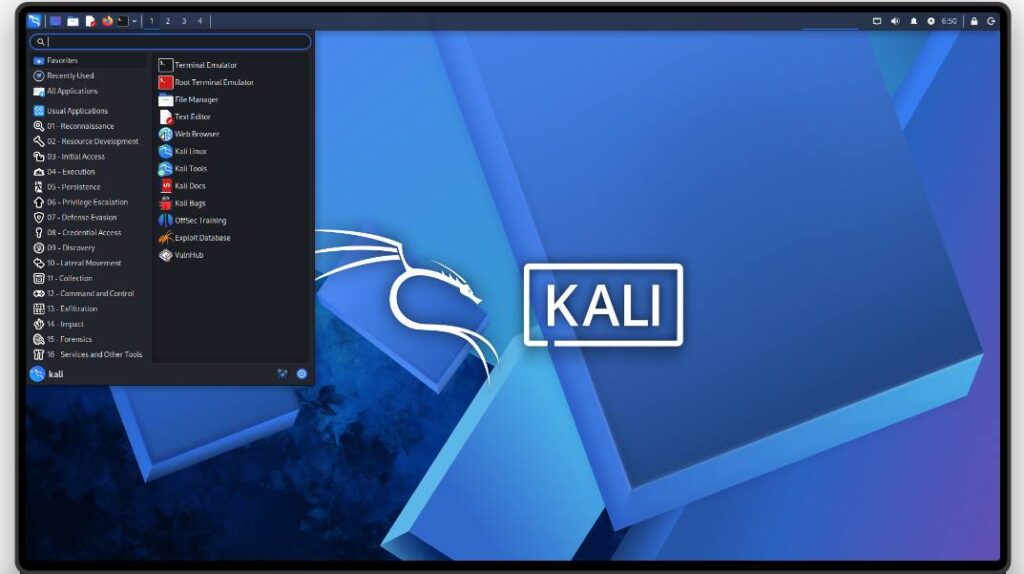
Kali Linux is an advanced penetration testing Linux distribution used for penetration testing, ethical hacking and network security assessments. It is part of OffSec’s community projects and is Debian-based. It is a rolling distribution, with fresh installer images published each quarter as “point releases.” At the time of writing the current release is Kali Linux 2026.2.
Why it is so widely used
Kali’s reputation comes from consistency. Courses, certifications, books and countless tutorials use it, so when you hit a problem, someone has probably written about it. It also publishes its build scripts openly, which supports transparency and lets you create customized images.
What the toolkit covers
Kali organizes its tools by purpose, and each has documentation on the official Kali tools site. In broad terms:
- Network security testing: discovery, scanning and traffic analysis
- Web security testing: proxies and scanners for assessing web applications
- Wireless assessment: tools for evaluating Wi-Fi security
- Vulnerability assessment: identifying and prioritizing known weaknesses
- Password and credential auditing: for authorized assessments
- Reverse engineering and forensics: analysis utilities, though dedicated forensic work is better served by a purpose-built system such as CAINE
There is also Kali Purple, a variant aimed at defensive security work.
Installation and platform options
This is where Kali stands out. The official download page offers:
- Installer images for 64-bit Intel/AMD, plus ARM64 (including Apple Silicon): a standard Installer, a NetInstaller, and an Everything image for air-gapped use
- Live images to run from USB without altering the host
- Pre-built virtual machines for VMware, VirtualBox, Hyper-V and QEMU, plus Vagrant boxes
- ARM images for devices such as Raspberry Pi and Pinebook
- Mobile: Kali NetHunter for Android and NetHunter Pro for certain phones
- Cloud images, containers (Docker, LXC/LXD) and WSL
The documentation recommends the Installer image for most people. The default desktop is Xfce, and the default selection installs the kali-linux-default tool set.
System requirements
Kali’s installation guide lists a wide range:
- As little as 128 MB RAM (512 MB recommended) and 2 GB disk for a basic SSH server with no desktop
- For the default Xfce desktop with the default tools, aim for at least 2 GB RAM and 20 GB of disk
- Heavy applications such as Burp Suite benefit from 8 GB of RAM or more
Kali needs Secure Boot disabled because its kernel is not signed for it.
Advantages
- Largest community, documentation and training ecosystem of the five
- Many installation formats, including ARM and mobile
- Quarterly tested releases and transparent build process
- Well suited to certification study and labs
Limitations
- Not designed as a daily-use operating system
- Tool collection can overwhelm newcomers
- Because it is the most famous, it is also the most commonly mimicked by unofficial downloads
- Does not provide privacy or anonymity on its own
Learn the fundamentals, not just the tools
Kali does not make you a security professional. A tool is only useful if you understand what it is doing: how TCP/IP works, how authentication fails, what a web request looks like on the wire, how Linux permissions work. Spend your first weeks on Linux command-line basics, networking and a few core concepts before you collect tools. You will learn faster, and you will be able to adapt when a tool changes or breaks.
Official Download: https://www.kali.org/get-kali/
Kali Linux vs Parrot OS vs BlackArch
There is no universal winner here. These three overlap, but they optimize for different people.
| Factor | Kali Linux | Parrot Security OS | BlackArch Linux |
|---|---|---|---|
| Ease of use | Straightforward installer, extensive guides | Similar; Home Edition is gentle | Demanding; Arch knowledge expected |
| Tool availability | Large curated collection, documented per tool | Large curated collection | Very large repository (2,862 tools listed), install by group or individually |
| Performance | Xfce default is light; heavy with large tool sets | Heavier recommended spec for Security Edition | Slim and netinstall options let you stay lean |
| Desktop experience | Xfce by default, other desktops possible | Polished, general-purpose feel | Minimal; slim ISO uses Xfce, full ISO offers several window managers |
| Learning curve | Moderate | Moderate | Steep |
| Privacy orientation | Not a privacy tool | Hardening profiles and low-exposure defaults | Not a privacy tool |
| Penetration testing | Industry-standard choice | Strong alternative | Strong for those who want custom builds |
| Security research | Good, with transparent build scripts | Good, includes reverse-engineering tools | Excellent for breadth and experimentation |
| Beginner suitability | Good, thanks to documentation | Good, especially via the Home Edition first | Poor unless you already know Arch |
The practical summary: pick Kali for documentation and ecosystem, Parrot for a hardened, general-purpose security desktop, and BlackArch for flexibility and breadth if you already know Linux well.
Which Hacking OS Should You Choose?
For beginners. Start with Kali Linux or Parrot Security OS. Kali has the larger library of tutorials, so it is the easier place to look up answers. Run either inside a virtual machine so you cannot damage your main system while you learn.
For penetration testing. Kali Linux is the default most employers and courses expect. Parrot is a credible alternative, and BlackArch suits testers who want to assemble their own environment.
For privacy and anonymity. Choose Tails. It is not a testing tool, and that is the point: it exists to protect you, not to probe others.
For digital forensics. Choose CAINE. Its read-only-by-default handling of storage and its forensic tool integration match how investigators actually work. (Parrot and Kali include some forensic tools, but CAINE’s whole design is about evidence preservation.)
For advanced Linux and security researchers. BlackArch gives you the widest selection and the most control, in exchange for more effort.
For general cybersecurity learning. Use Kali and Parrot, and consider keeping two virtual machines so you can compare how each works.
Remember that “best” depends on your goal. Many professionals keep more than one of these, each for a different job.
Can You Use These Operating Systems on Windows?
Yes, in several legitimate ways. Which one is appropriate depends on the system.
- Virtual machines. The safest way to start. Kali offers pre-built images for VirtualBox, VMware, Hyper-V and QEMU, and Parrot offers OVA, VMDK and QCOW2 formats. You get snapshots, isolation from your main system and an easy way to start over. The trade-off is limited direct access to hardware (such as Wi-Fi adapters) and higher resource use.
- Live USB. Boot from a USB stick without changing the installed Windows system. Good for trying a distribution or for forensic work with CAINE. Tails is designed exactly this way.
- Dual boot. Installs a second operating system next to Windows and gives full hardware access, but it requires partitioning and care. Kali’s documentation includes a Windows dual-boot guide, and notes that Secure Boot generally needs to be disabled.
- Dedicated hardware. A separate laptop or small computer is the cleanest way to get full hardware performance.
- WSL (Windows Subsystem for Linux). Kali and Parrot both offer WSL options. The Kali project is clear about the limits: you get userland access to its tools, but not its customized kernel and not direct hardware access. WSL is convenient for command-line tools, but it is not equivalent to a full Linux desktop or a full security lab.
Tails and virtual machines. Tails is meant to run from its own USB stick on real hardware. Running it in a virtual machine is generally discouraged, because the host system could observe what happens inside it.
Whichever method you choose, change default passwords on pre-built images, keep your system updated and keep lab machines on an isolated network.
Are These Operating Systems Legal?
In general, yes. These operating systems are legitimate, openly distributed software, and downloading or running them is not a crime in itself.
The legal question is about how you use them. Security tools are dual-use. Testing systems that you own, or that you have explicit authorization to test, is a normal part of the profession. Accessing systems without permission, stealing credentials, deploying malicious software or attacking networks you do not control can be illegal and can carry serious penalties.
Laws differ between countries and regions, so check the rules that apply where you live and where the target systems are located. When working for a client or employer, get the scope and permission in writing before you begin.
A safe way to practice:
- Build your own home lab with virtual machines
- Use intentionally vulnerable training machines
- Join capture-the-flag (CTF) events and legal training platforms
- Use networks and devices you own
Frequently Asked Questions
1. What is the best hacking OS for beginners?
Kali Linux and Parrot Security OS are the most common starting points. Kali has the larger library of tutorials and courses; Parrot has a Home Edition that is useful for getting comfortable first. Run either in a virtual machine.
2. Is Kali Linux better than Parrot OS?
Neither is universally better. Kali has the larger ecosystem and is the standard in many courses. Parrot includes more general-purpose software and hardened defaults. Try both in virtual machines and see which suits your workflow.
3. Is BlackArch better than Kali Linux?
BlackArch offers a far larger tool catalogue and more flexibility, but it expects advanced Linux skills. Kali is easier to start with and better documented. “Better” depends on your experience.
4. Is Tails a hacking operating system?
No. Tails is a privacy and anonymity system that routes traffic through Tor and leaves no trace on the host computer. It is not designed for penetration testing.
5. What is CAINE Linux used for?
CAINE is used for digital forensics and incident response. It helps investigators examine storage devices and preserve evidence, with devices set to read-only by default.
6. Are hacking operating systems legal?
The operating systems are legal software. Using them against systems you do not own or have permission to test may be illegal. Laws vary by jurisdiction, so check local rules.
7. Can I install Kali Linux on Windows?
Yes. You can use a virtual machine, a live USB, a dual-boot setup, or WSL. WSL is convenient but limited, and does not provide a full Kali desktop environment or direct hardware access.
8. Can I run these operating systems in VirtualBox?
Kali and Parrot both provide VirtualBox-compatible images, and BlackArch offers an OVA image. CAINE can run as a live ISO in a VM for practice. Tails is better used from a USB stick on real hardware than in a virtual machine.
9. Which hacking OS is best for penetration testing?
Kali Linux is the most common choice. Parrot Security OS and BlackArch Linux are good alternatives, depending on whether you prefer a hardened desktop or maximum customization.
10. Which operating system is best for digital forensics?
CAINE, because it is built around evidence preservation and forensic workflows. Parrot and Kali include some forensic tools, but CAINE is purpose-built.
11. Which one is best for privacy?
Tails is designed for privacy and anonymity. Parrot also applies hardening and low-exposure defaults, but Tails is the one built around Tor and leaving no trace.
Also, learn Network Security Tools Explained: Nmap, Nessus, OpenVAS and Wireshark and ESP32 Cybersecurity: Why It Matters for IoT Security.
Conclusion
Five distributions, five different jobs. Kali Linux is the documented standard for penetration testing and learning. Parrot Security OS pairs a security toolkit with a hardened, everyday-capable system. BlackArch Linux gives experienced users a very large tool repository on top of Arch. Tails protects the privacy of the person using it rather than testing anyone else. CAINE is a forensic workbench that protects evidence from being changed.
Picking the right one starts with a simple question: what do I want to do? Testing, investigating, researching or protecting your privacy each point toward a different system.
Whichever you choose, don’t let a distribution do your thinking. Learn Linux, networking, how operating systems work and the core concepts of security. Tools change; fundamentals don’t. Practice in labs you control, and stay inside the boundaries of authorization.
Always download from the project’s own site, and verify checksums and signatures where the project provides them.
Discover more from Jahid Shah
Subscribe to get the latest posts sent to your email.